mirror of
https://github.com/xinnan-tech/xiaozhi-esp32-server.git
synced 2026-11-28 04:59:52 +01:00

1.7 KiB
1.7 KiB
Log in to AutoDL and rent an image Select Mirror:
PyTorch/2.1.0/3.10(ubuntu22.04)/cuda 12.1
After the machine is turned on, set academic acceleration
source /etc/network_turbo
Enter the working directory
cd autodl-tmp/
Pull project
git clone https://gitclone.com/github.com/fishaudio/fish-speech.git ; cd fish-speech
Install dependencies
pip install -e.
If an error occurs, install portaudio
apt-get install portaudio19-dev -y
Execute after installation
pip install torch==2.3.1 torchvision==0.18.1 torchaudio==2.3.1 --index-url https://download.pytorch.org/whl/cu121
Download the model
cd tools
python download_models.py
Run the interface after downloading the model
python -m tools.api_server --listen 0.0.0.0:6006
Then use the browser to go to the aotodl instance page
https://autodl.com/console/instance/list
As shown below, click the 'Custom Service' button on your machine to start the port forwarding service.
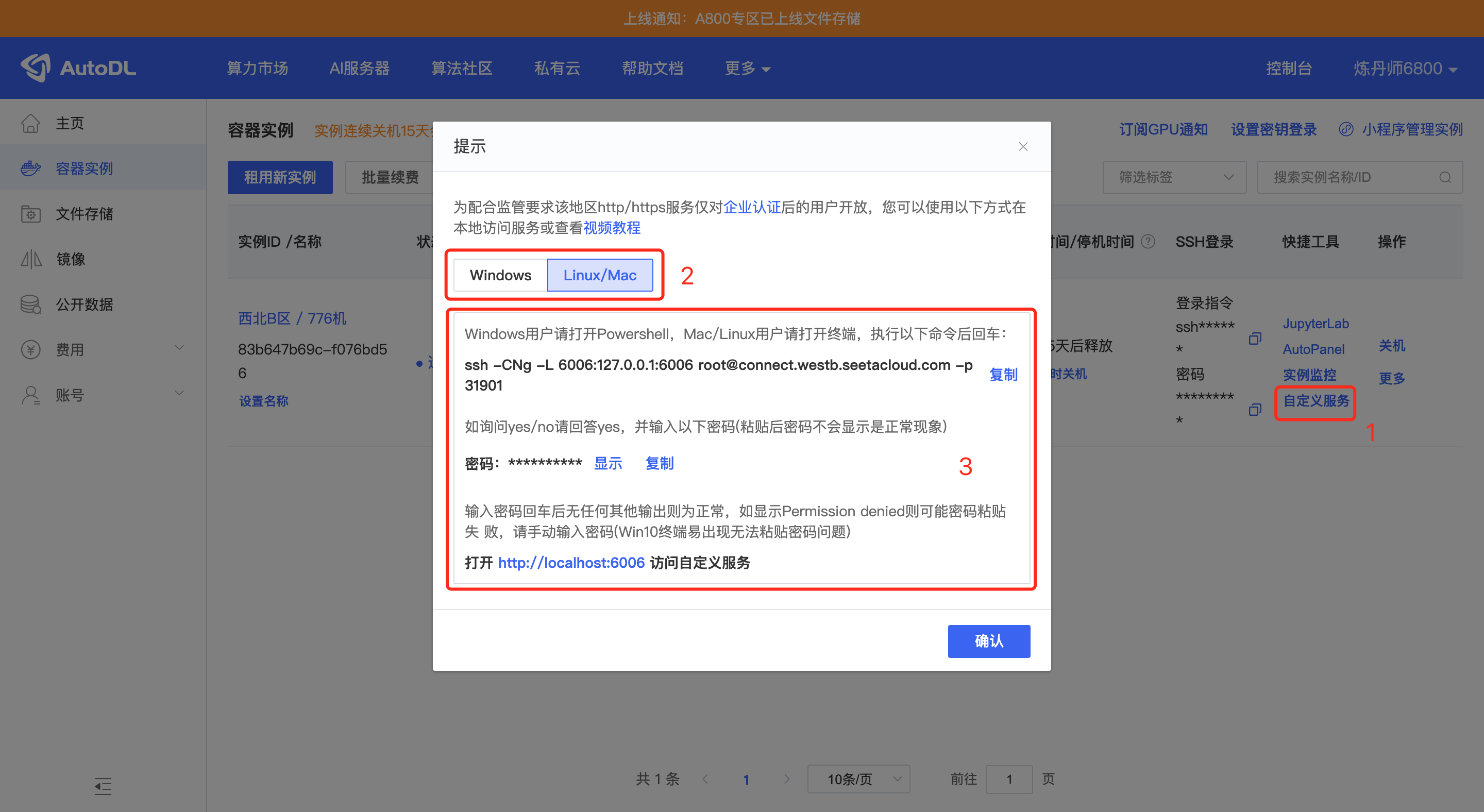
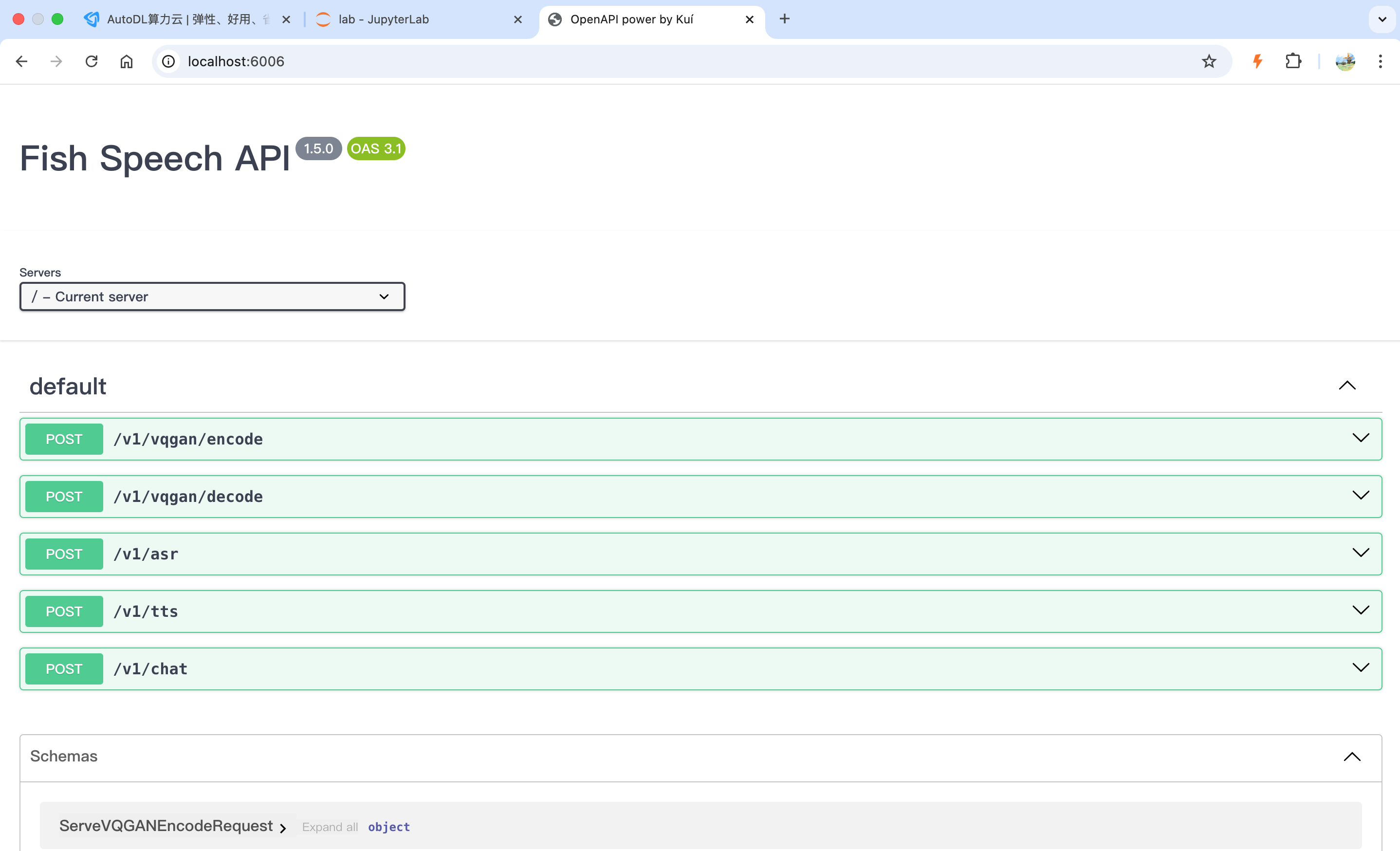
After the port forwarding service is set up, you can access the fish-speech interface by opening the URL http://localhost:6006/ on your local computer.
If you are deploying a single module, the core configuration is as follows
selected_module:
  TTS: FishSpeech
TTS:
  FishSpeech:
    reference_audio: ["config/assets/wakeup_words.wav",]
    reference_text: ["Hello, I'm Xiaozhi, a Taiwanese girl with a nice voice. I'm so happy to meet you. What are you busy with recently? Don't forget to give me some interesting information. I love to hear gossip."]
    api_key: "123"
    api_url: "http://127.0.0.1:6006/v1/tts"
Then restart the service