2 KiB
Alibaba Cloud SMS Integration Guide
Log in to the Alibaba Cloud console and go to the SMS service page: https://dysms.console.aliyun.com/overview
Step 1: Add signature
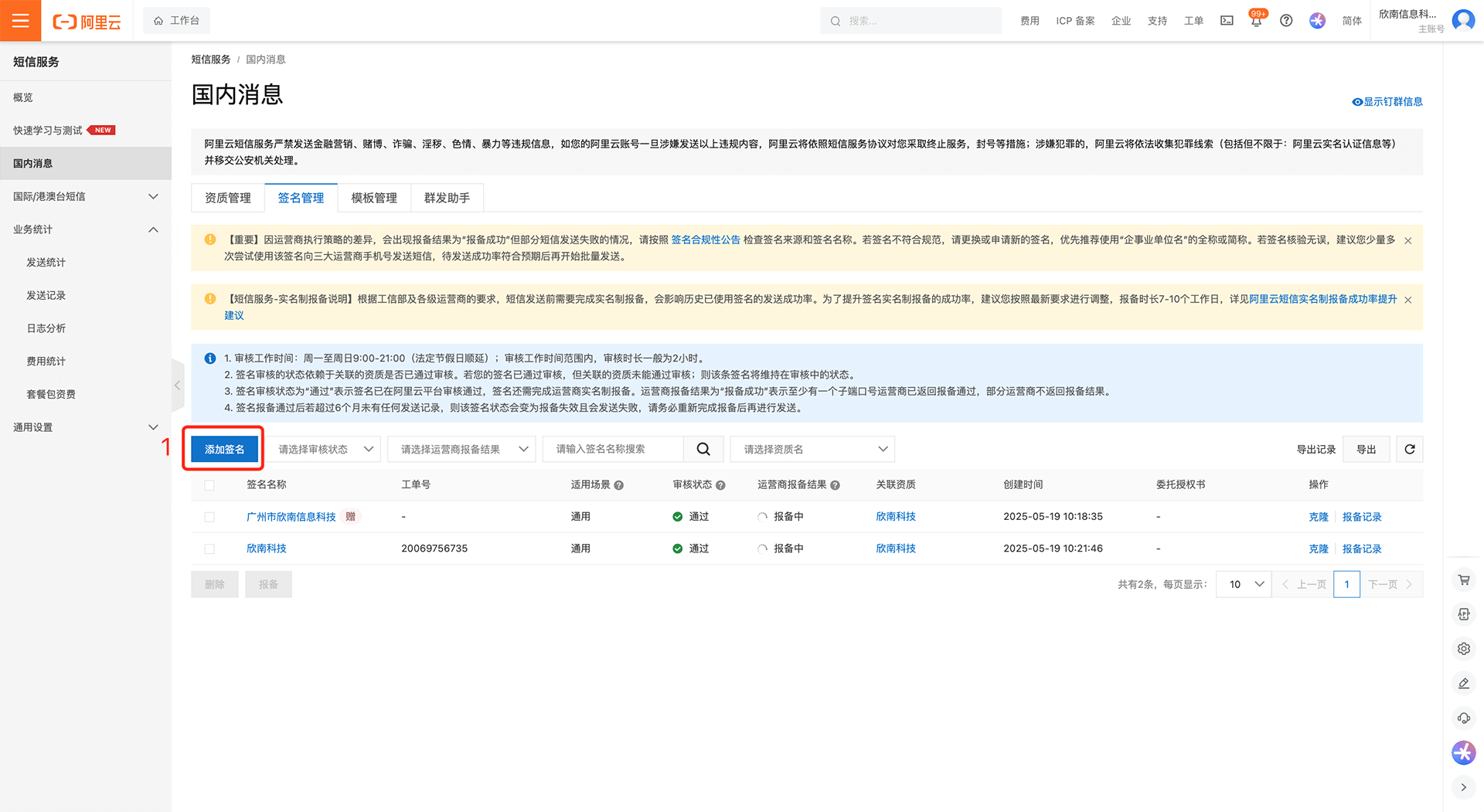
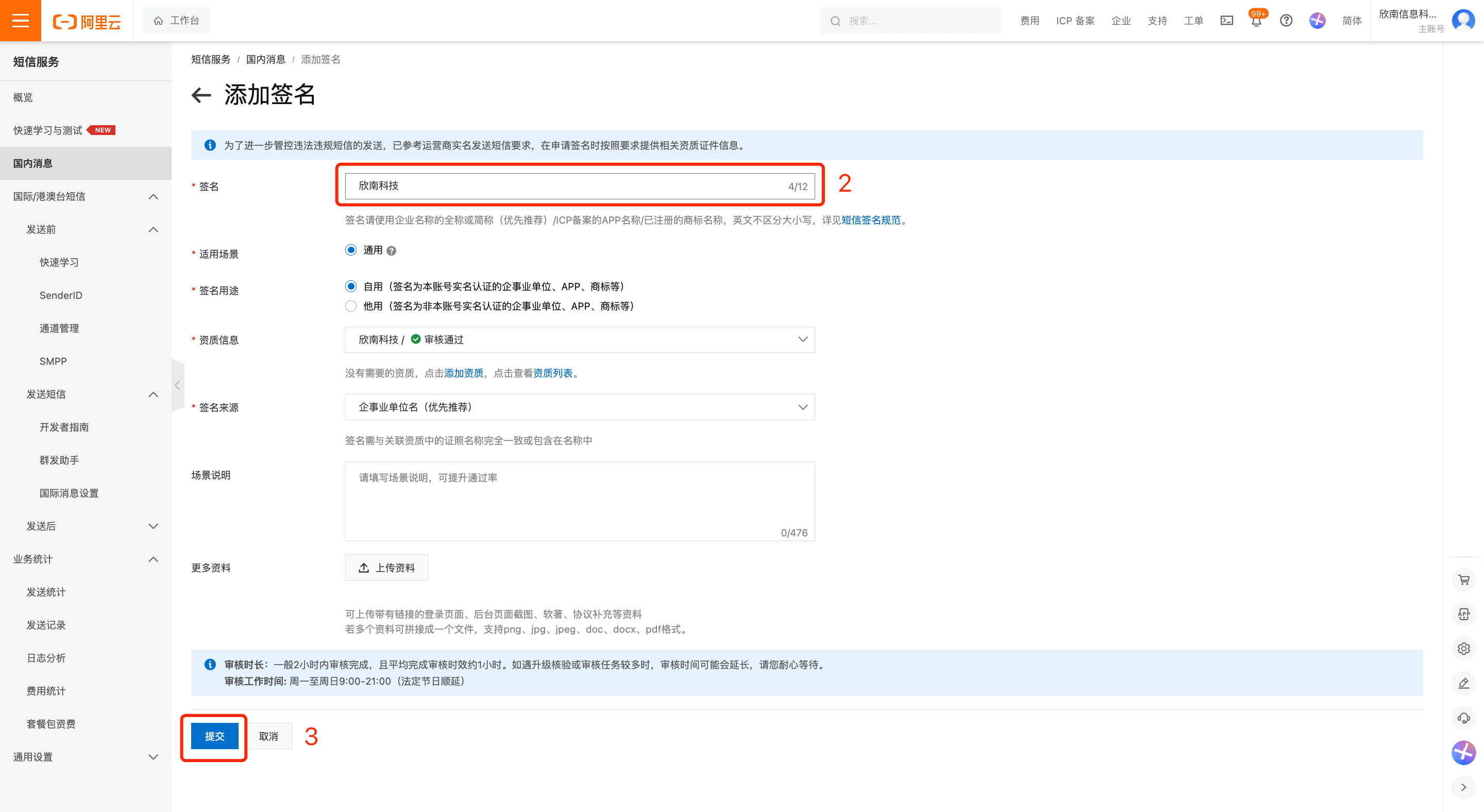
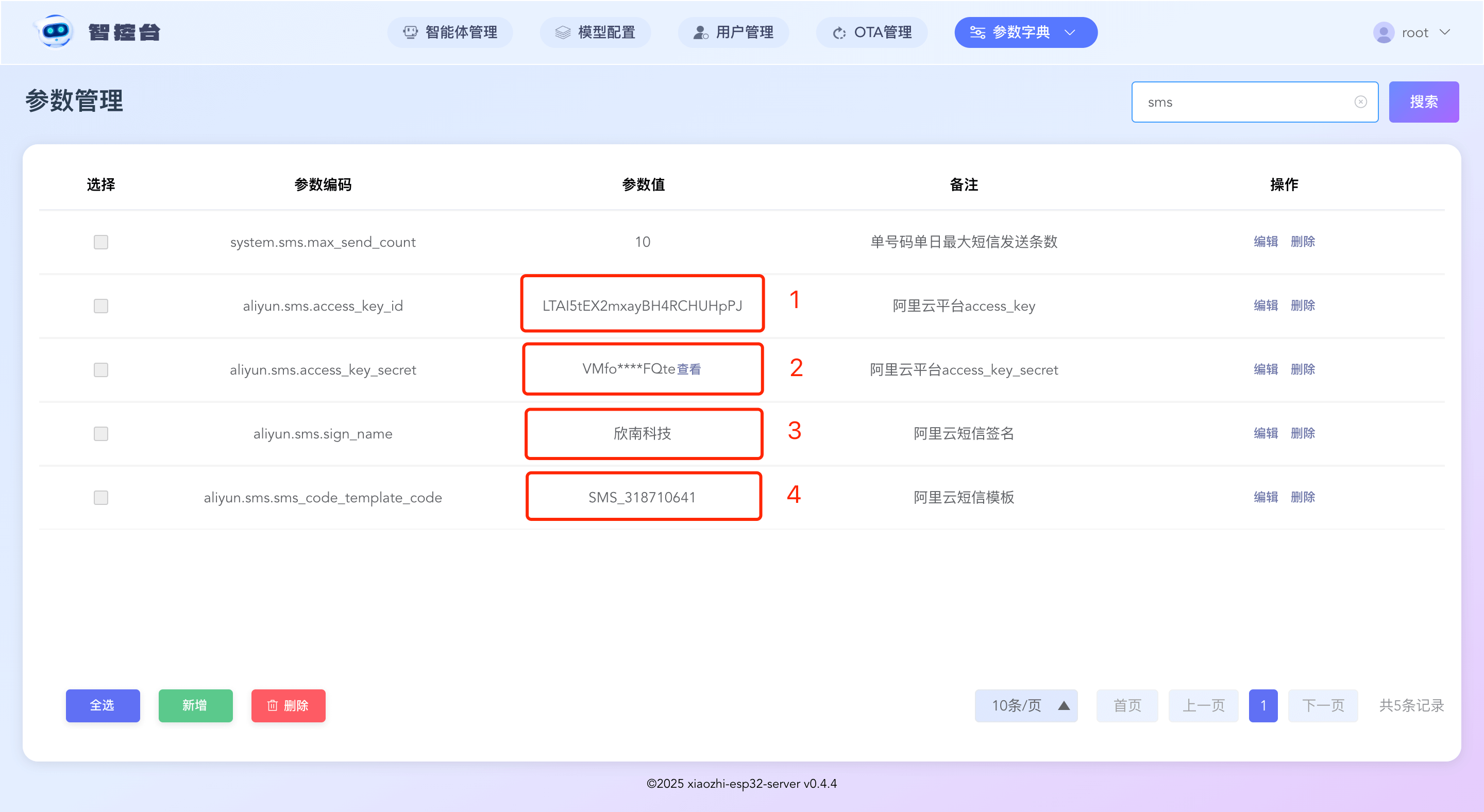
The above steps will get the signature, please write it into the smart console parameter, aliyun.sms.sign_name
Step 2: Add template
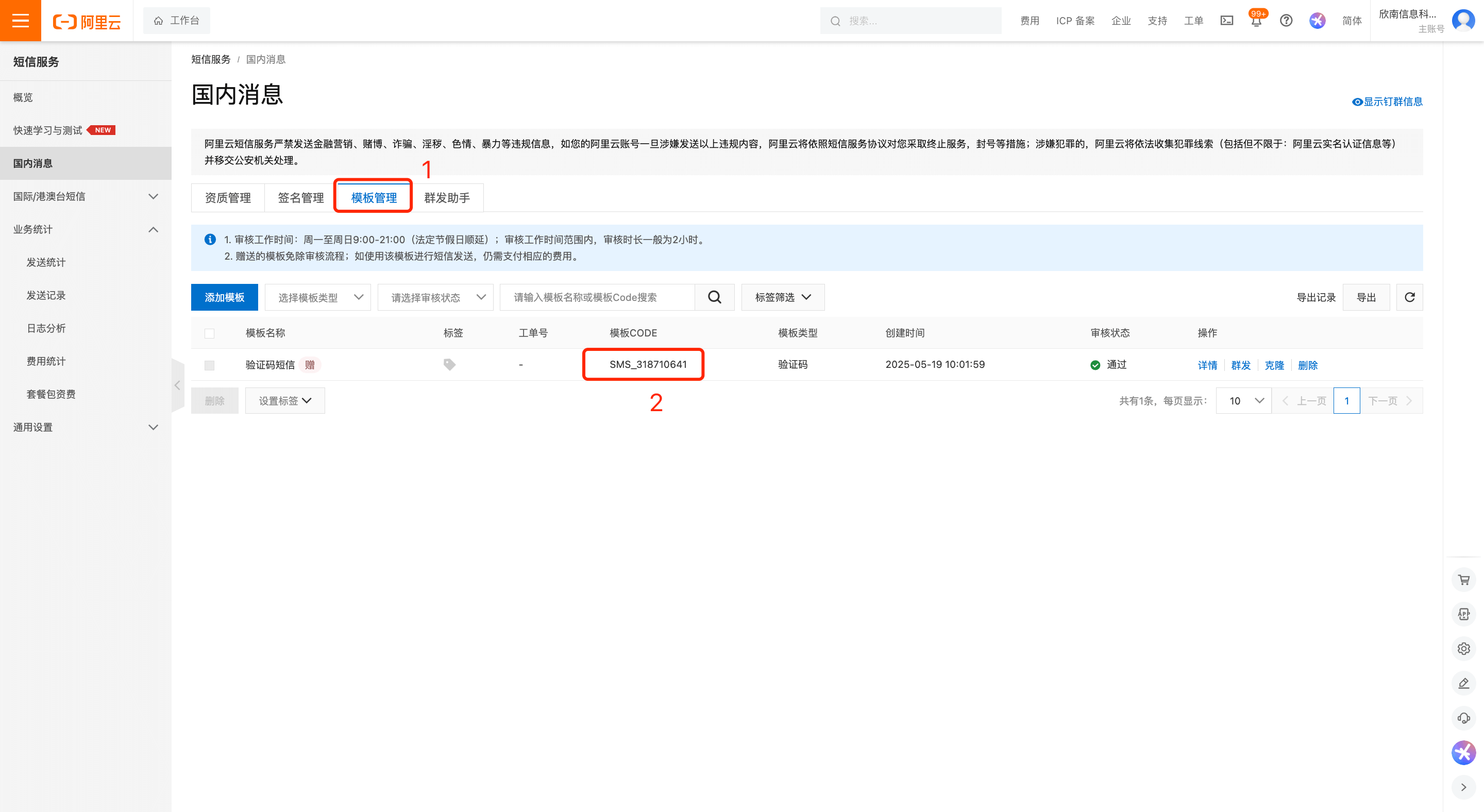
The above steps will get the template code. Please write it into the smart console parameter, aliyun.sms.sms_code_template_code
Please note that the signature will take 7 working days to be sent successfully after the operator has successfully reported it.
Please note that the signature will take 7 working days to be sent successfully after the operator has successfully reported it.
Please note that the signature will take 7 working days to be sent successfully after the operator has successfully reported it.
You can wait until the report is successful before continuing with the next step.
Step 3: Create SMS account and enable permissions
Log in to the Alibaba Cloud console and go to the Access Control page: https://ram.console.aliyun.com/overview?activeTab=overview
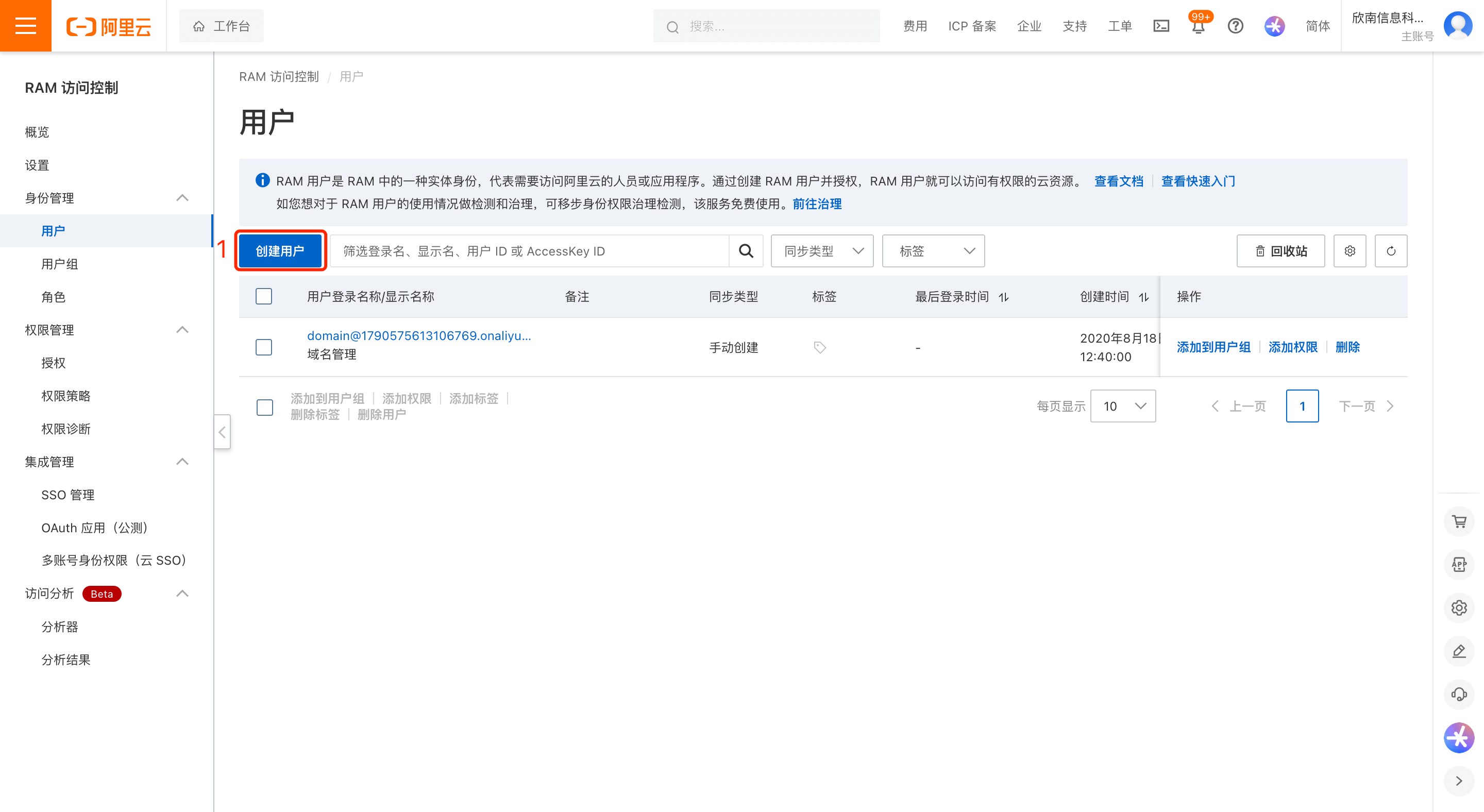
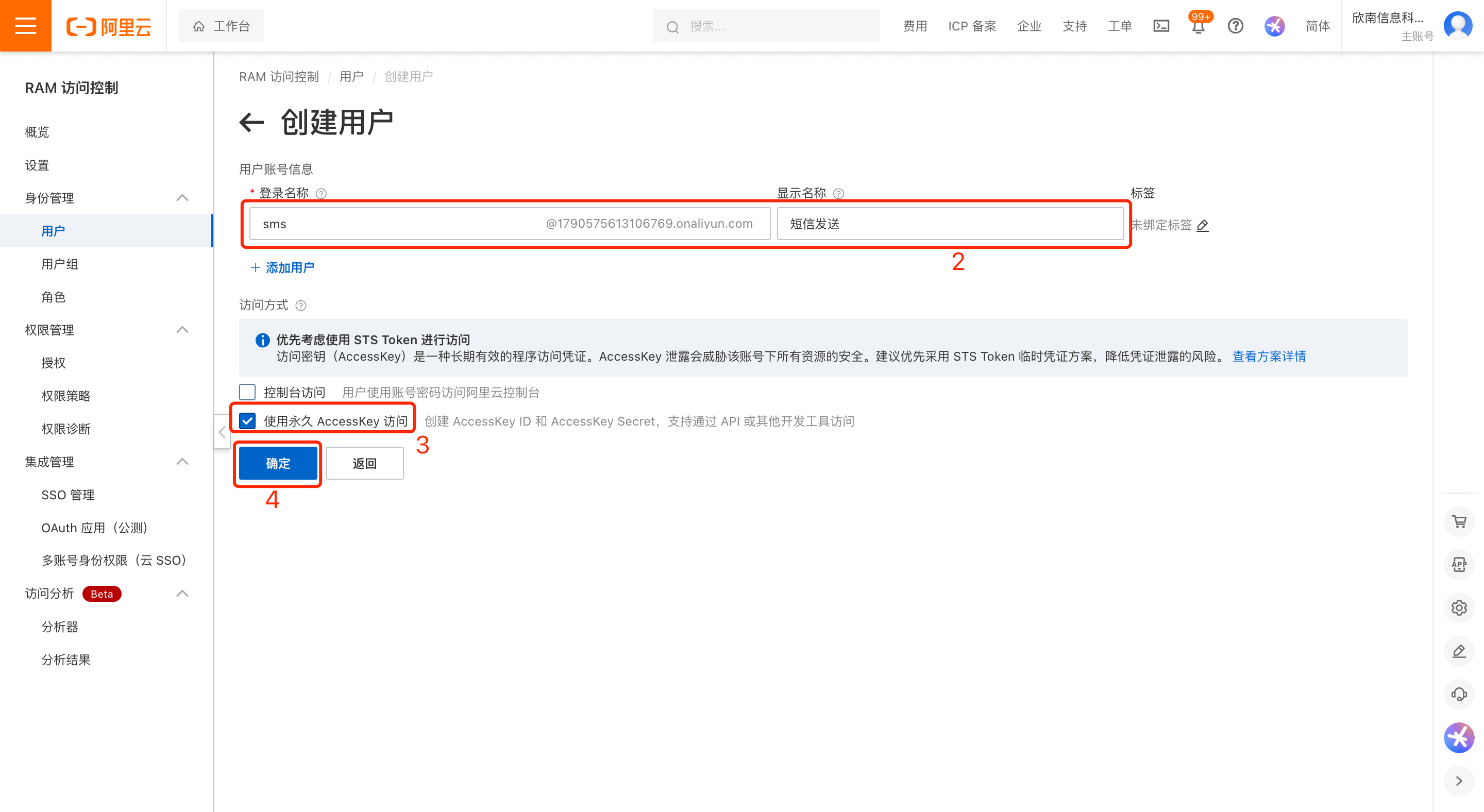
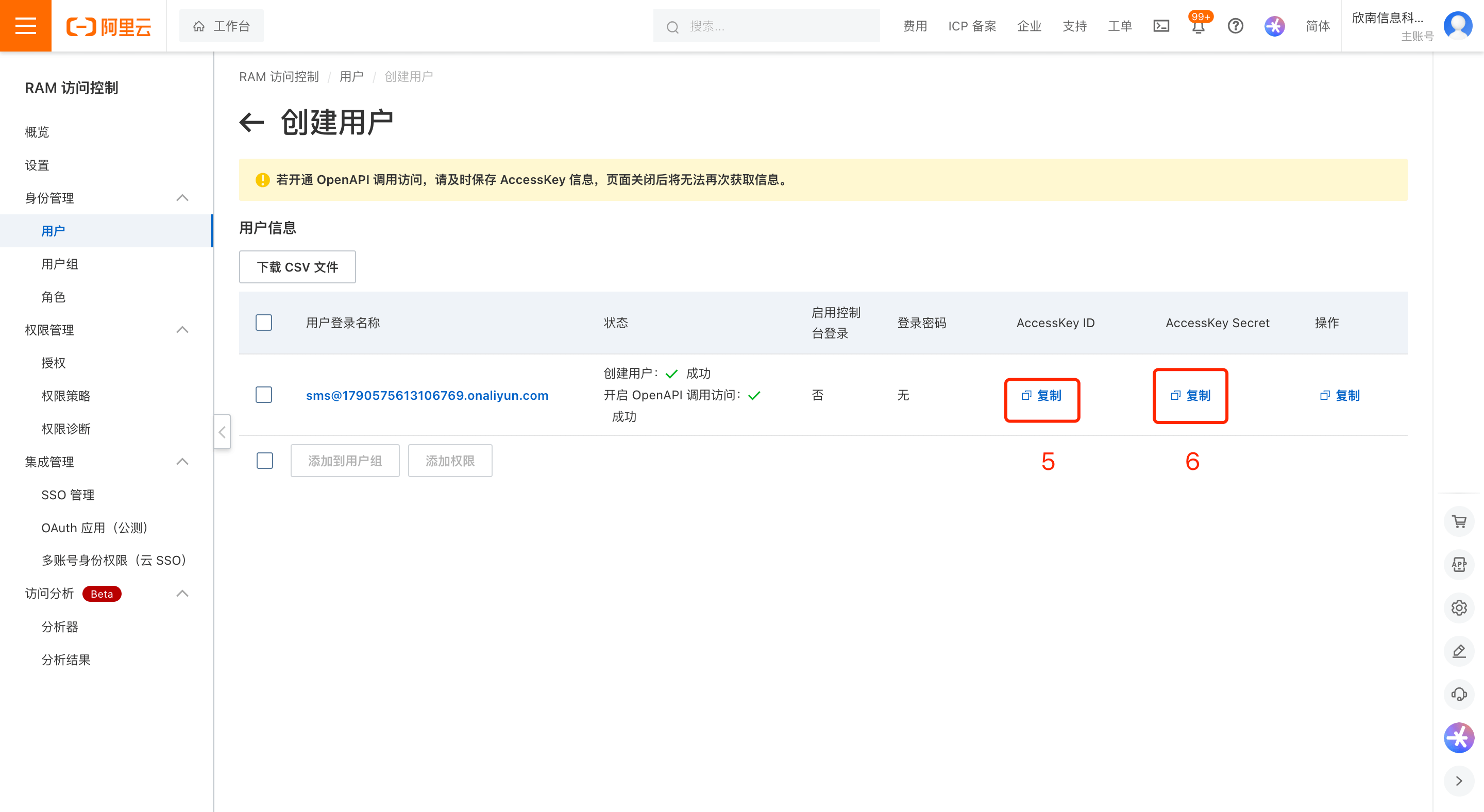
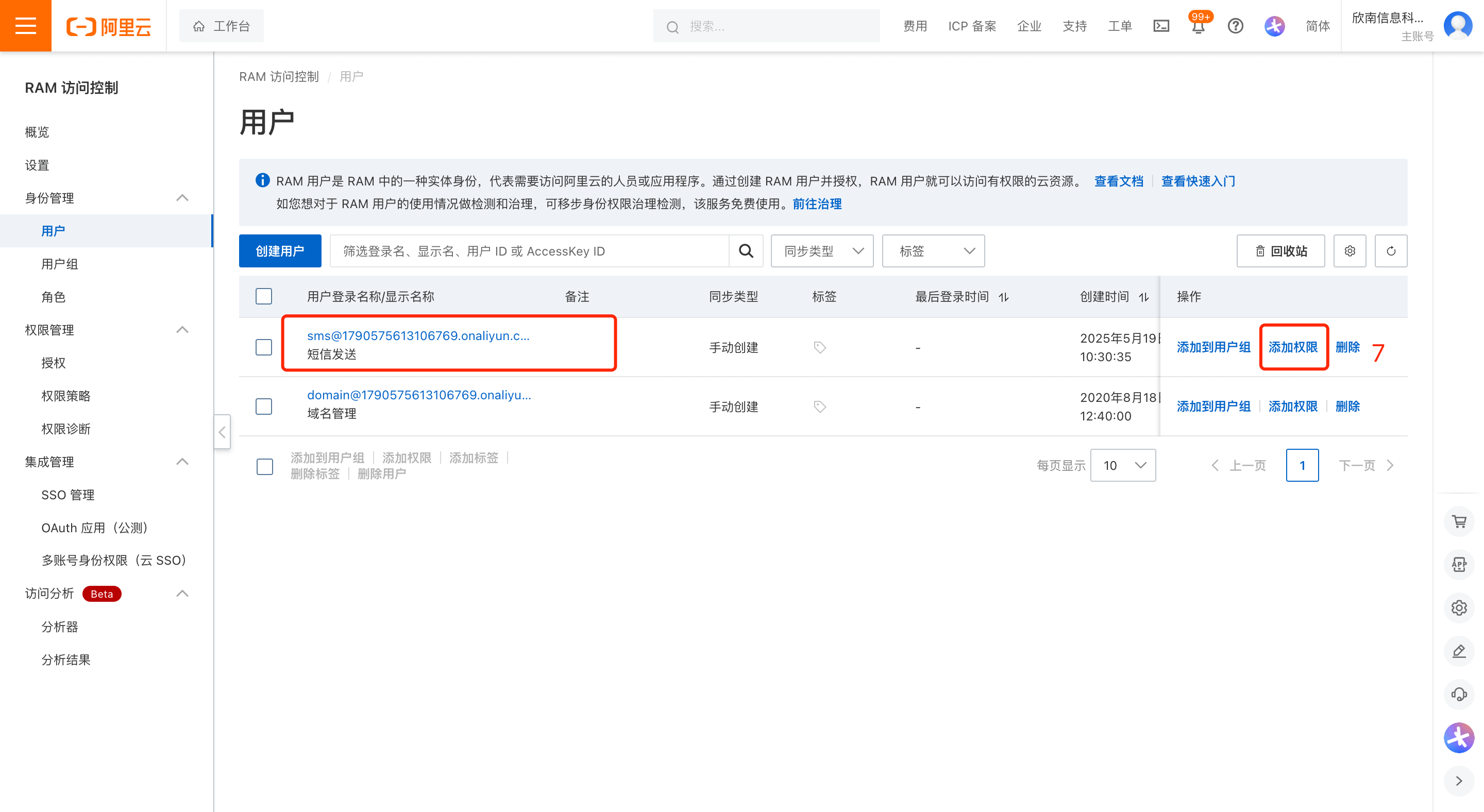
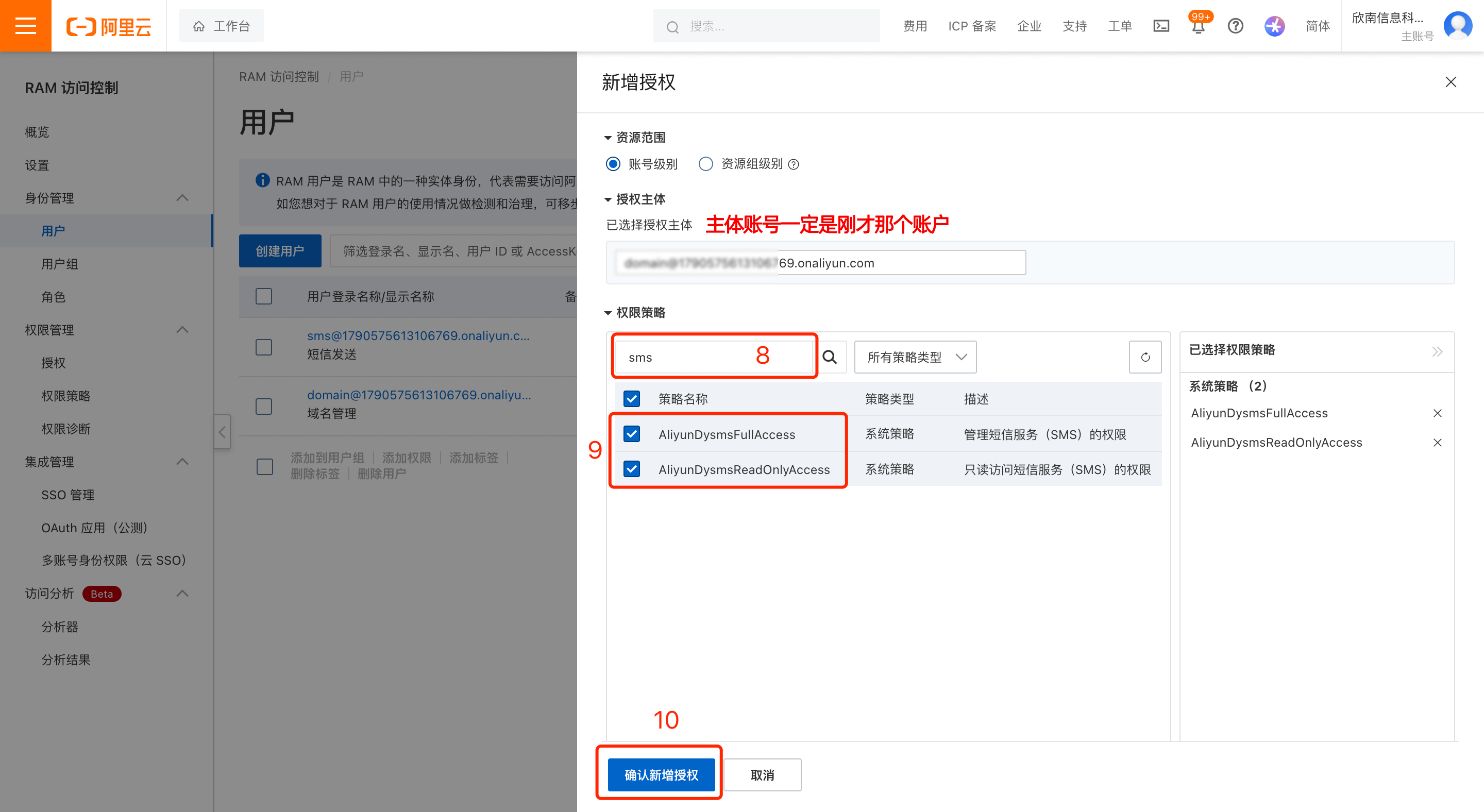
The above steps will get access_key_id and access_key_secret. Please write them into the smart console parameters, aliyun.sms.access_key_id and aliyun.sms.access_key_secret
Step 4: Enable mobile phone registration
- Normally, after filling in the above information, this effect will appear. If not, you may be missing a step.
-
Enable non-administrator users to register by setting the parameter
server.allow_user_registertotrue -
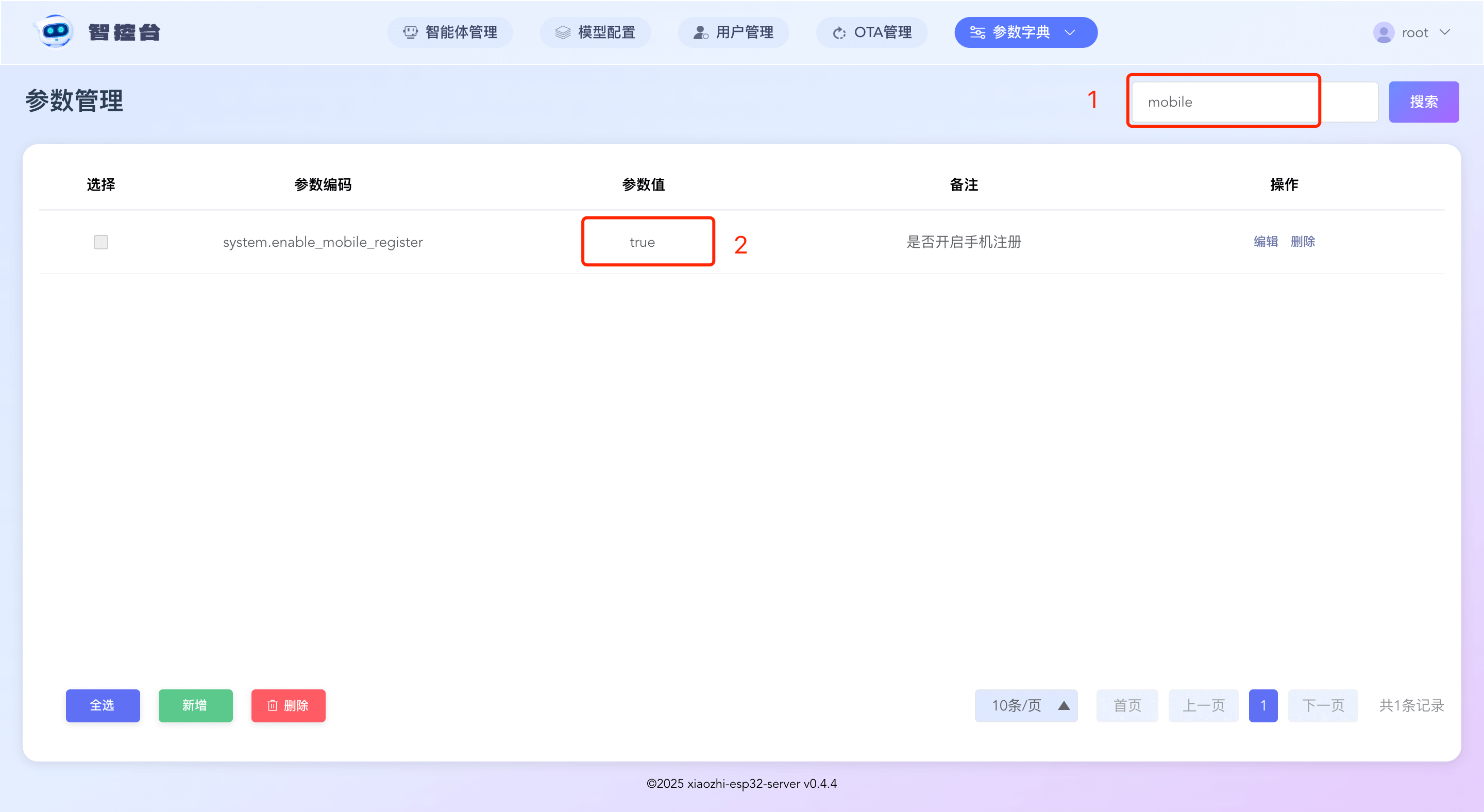
Enable mobile phone registration by setting the parameter
server.enable_mobile_registertotrue